RPOMS Print Engine
Offline-first label printing workstation for the RPOMS refurbishment line


Hardware Protocol Driver, Canvas 2D Renderer, Offline PWA & Backend
Operational Workflow & State Machine
End-to-End Pipeline- 01Scan the router
- 02Detect the model from the serial
- 03Resolve and render the frozen template
- 04Queue behind whatever is printing
- 05Print over the open Bluetooth session
Overview
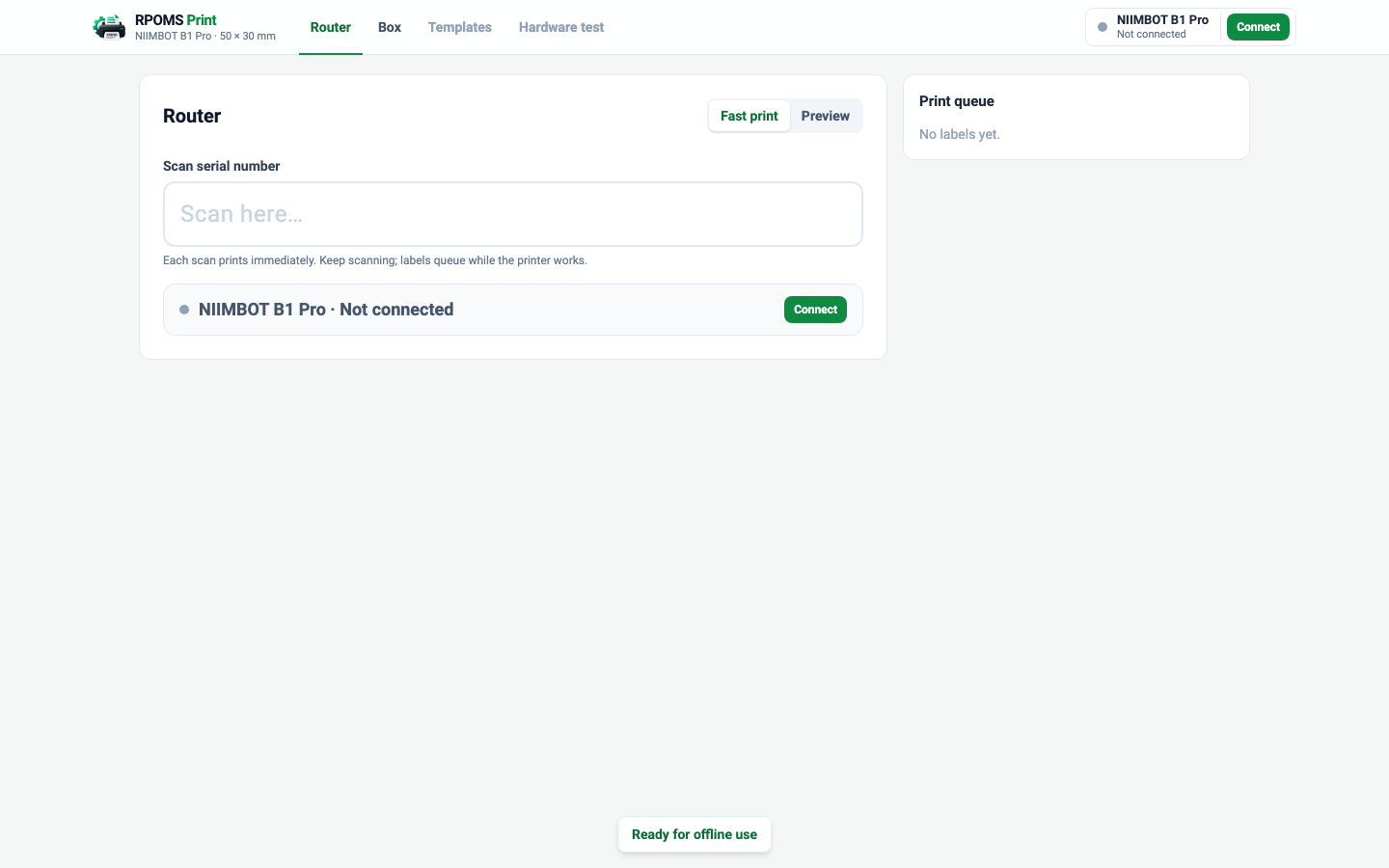
On the refurbishment line that RPOMS runs, every processed router gets a sticker with its model name and its serial number as a barcode, and every packed box gets one with its number as a QR code. The printer is a NIIMBOT B1 Pro, a small Bluetooth thermal printer for 50 by 30 mm labels. The Print Engine is the workstation that produces those labels: a Progressive Web App that runs in Chrome or Edge, talks to the printer over Web Bluetooth, and keeps working when the internet does not.
It is built standalone, with an explicit boundary for RPOMS to supply data later, so the printer protocol, the label rendering and the queue could be tested and validated without touching a system in daily use.
Problem
The vendor's route to this printer is its own phone app, fed in practice by a spreadsheet that worked out the model from the serial. That is one interaction per label, on a phone, with the model logic living in a formula. It does not follow a worker who scans one router after another, and it puts the correctness of every label on transcription.
The requirement was blunt: scan a serial with the USB scanner, and the correct label comes out. Continuously, on an ordinary PC, without a vendor app, a spreadsheet or a server between the scan and the printer.
Constraints that shaped it
Web Bluetooth is the only way to reach a Bluetooth printer from a browser without an installer, and it comes with limits: Chromium browsers on desktop only, HTTPS or localhost, and a native device chooser that the page cannot style or open on its own. The app is designed around those limits rather than against them: the chooser is Chrome's, and everything before and after it is the app's.
The label design was locked from the start. The owner had a template that matched the labels already in use, and the brief for every later change was that the physical output must not move. That constraint became a test: the JSON and the rendered raster of each shipped template are hashed against a baseline, and any difference fails the suite.
Printing had to be independent of everything else. The line cannot stop because a server is down or the internet is out, so the critical path from scan to printer is local by construction, and a test proves it makes no network request.
How it works
A scanner service bound to one input field completes a scan on Enter, Tab, whitespace, an inserted line break or a short pause after machine-speed characters, so scanners with different suffix settings all work and a person typing is never auto-submitted. The workflow detects the model, resolves the template and renders it in a promise chain, so scans made while a label is printing are processed in order rather than lost.
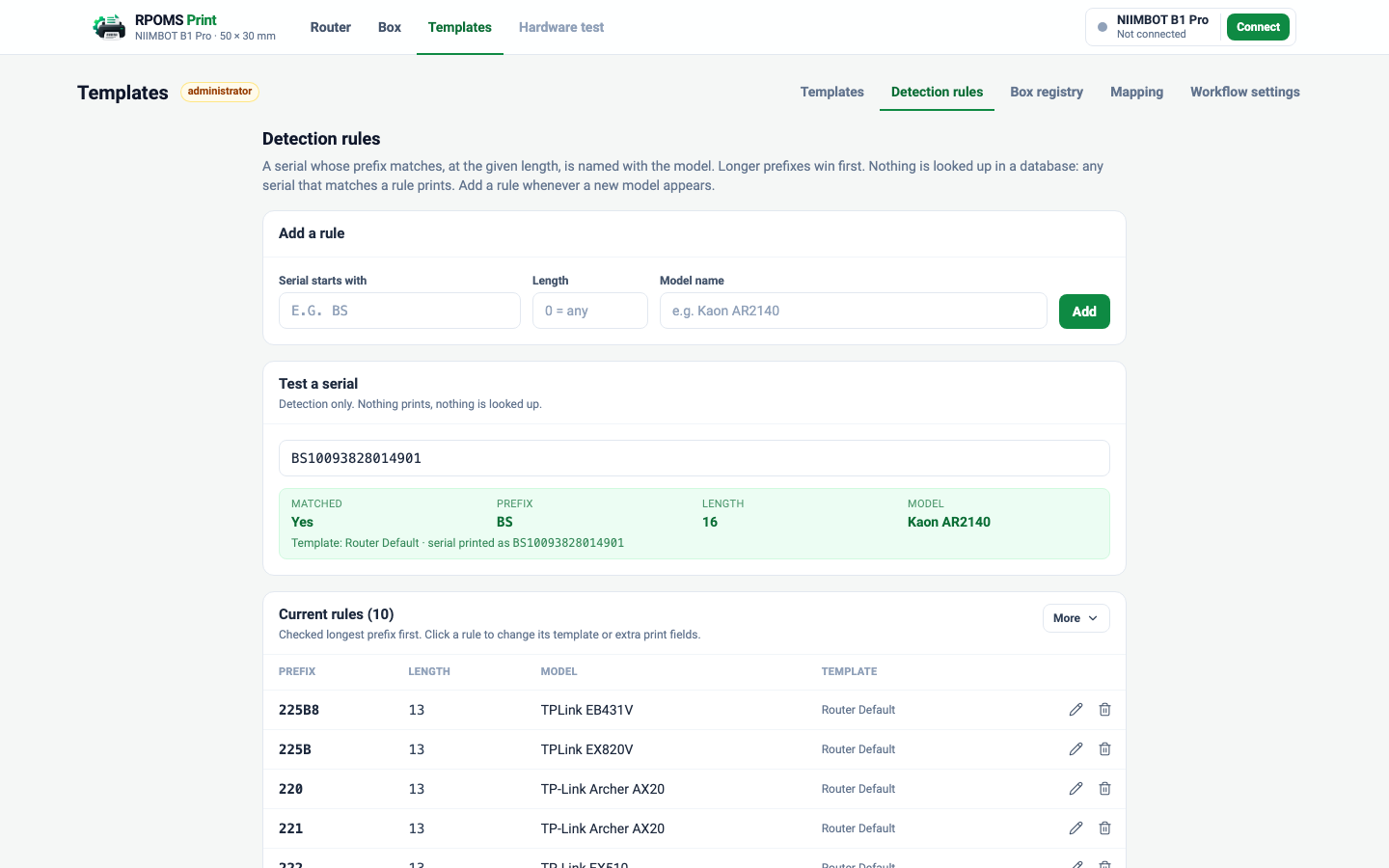
Detection is a rule table: a serial prefix and an exact length name a model, and the longest matching prefix wins. There is no lookup of the serial in a database, deliberately; the line prints for any router that matches a rule, and an unknown serial produces the message “No matching detection rule.” and nothing else.
The queue keeps one printer session open. Labels waiting while the printer is busy are sent as one continuous printer job with two pages of look-ahead, which is what stops the paper feeding out and pulling back between labels. The driver polls the printer's page counter and reports it; the queue marks each label complete as the counter passes it. If a link drops after the printer accepted a job, the labels the counter did not reach are marked Uncertain and wait for a person to choose Reprint or Discard.
Template editor
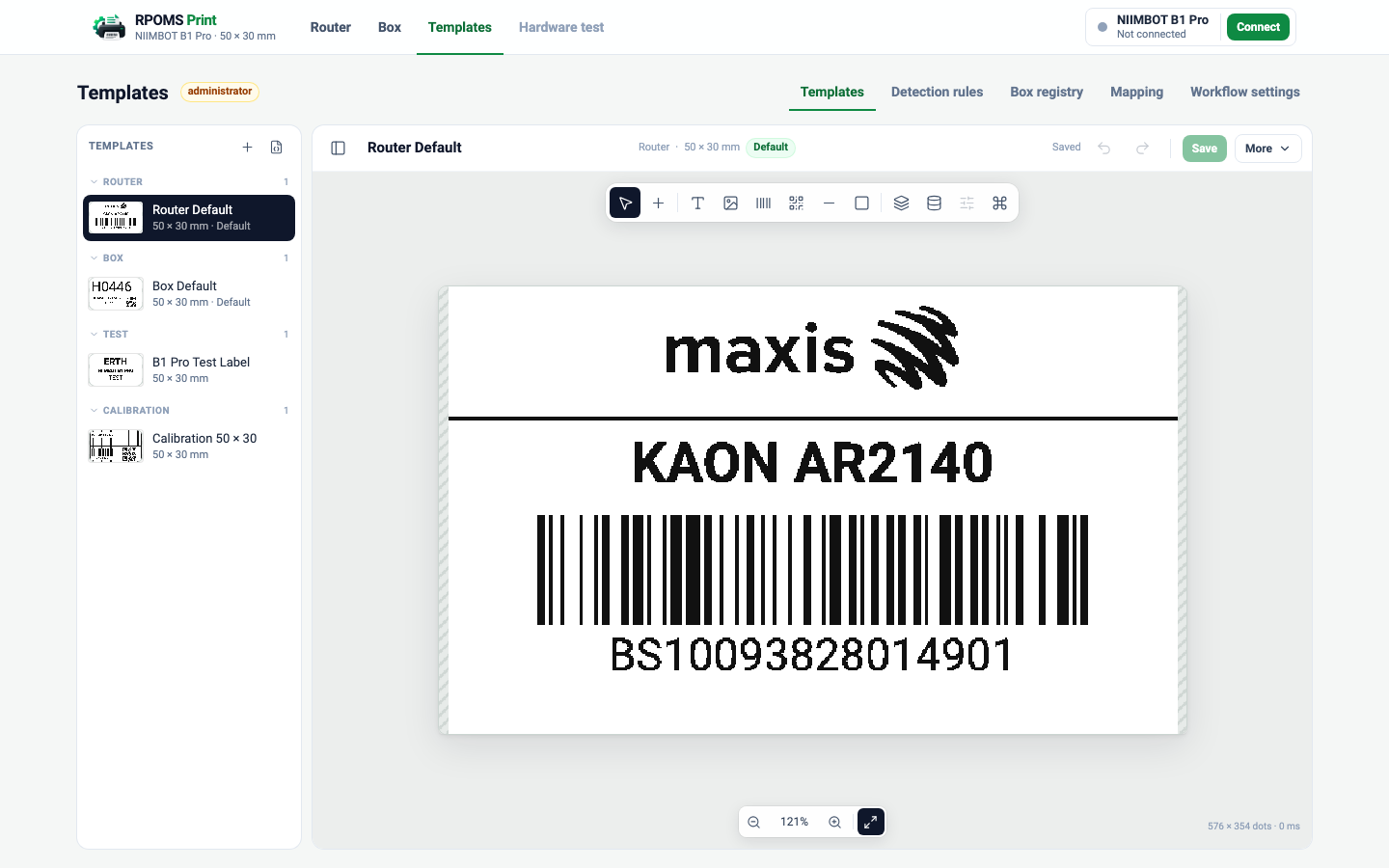
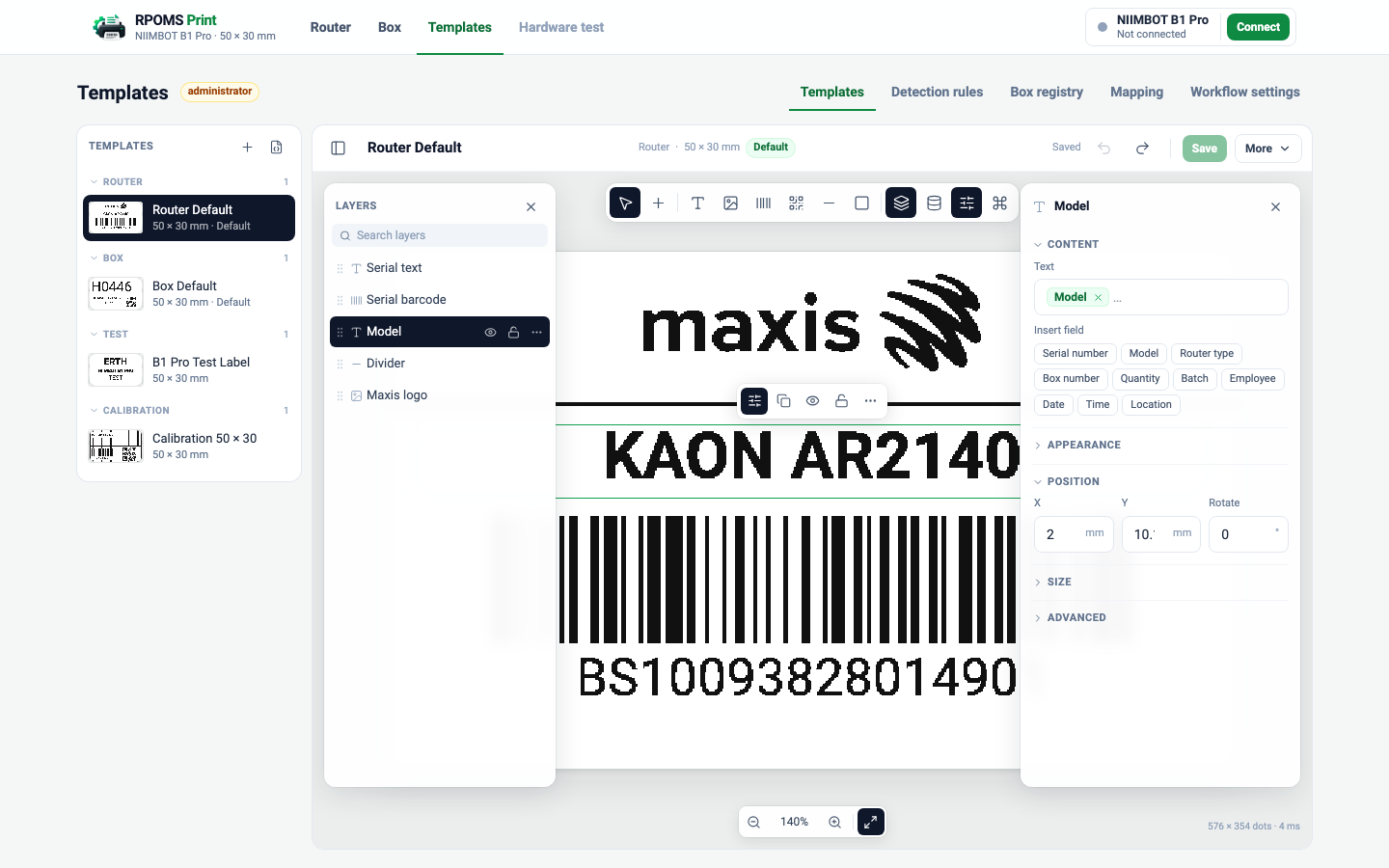
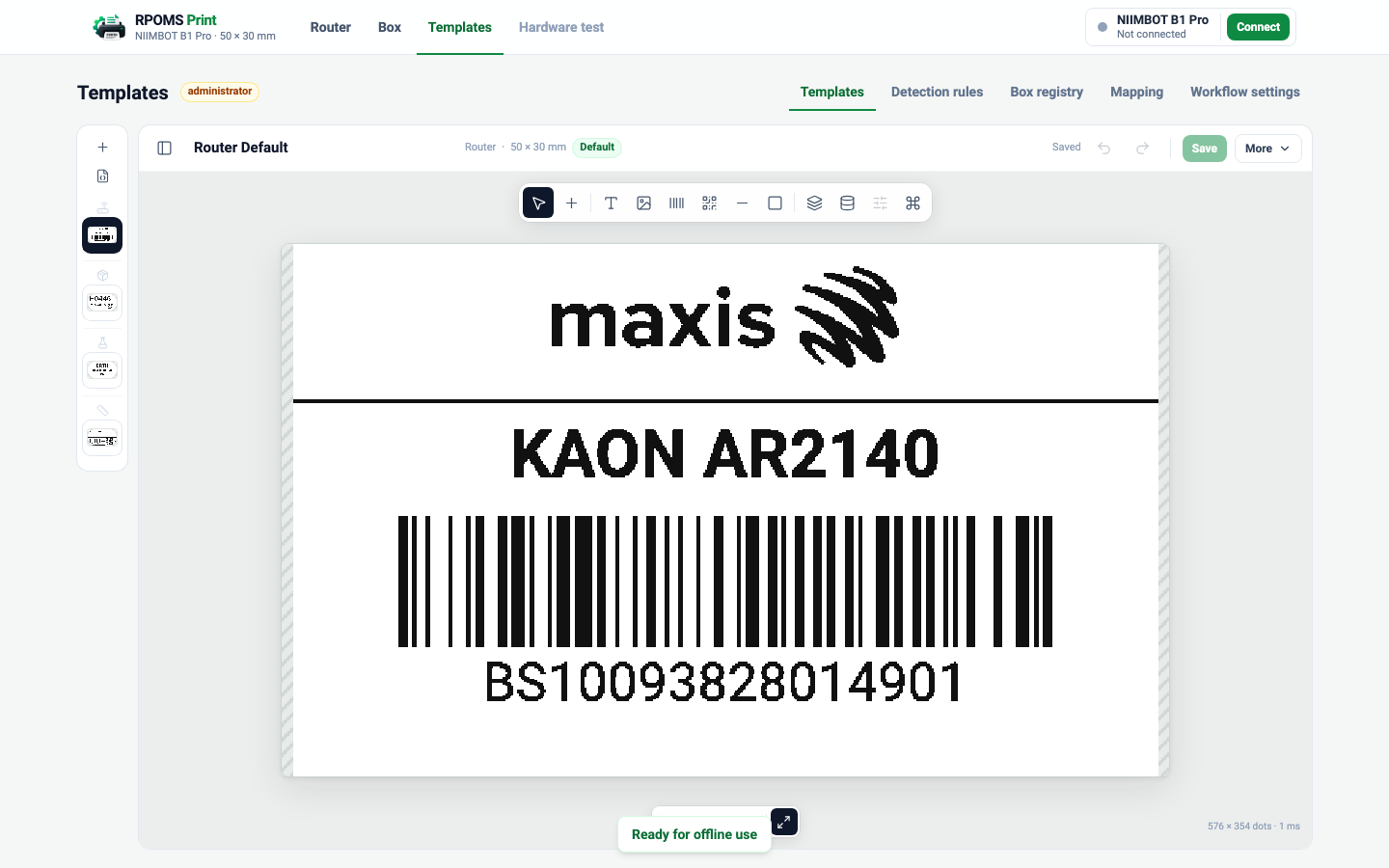
Administrators edit templates in a canvas-first editor: the label fills the screen, a floating icon toolbar adds text, images, barcodes, QR codes, lines and rectangles, and layers and properties live in drawers that stay closed until asked for. A contextual toolbar above the selected element shows only that element's controls. Fields appear as human-readable chips, Serial number and Model, with the template's own syntax kept under Advanced.
The editor changes the administrator's draft only. The shipped templates cannot change unnoticed, because the freeze test compares their rendered raster with the accepted baseline on every run.
Offline by construction
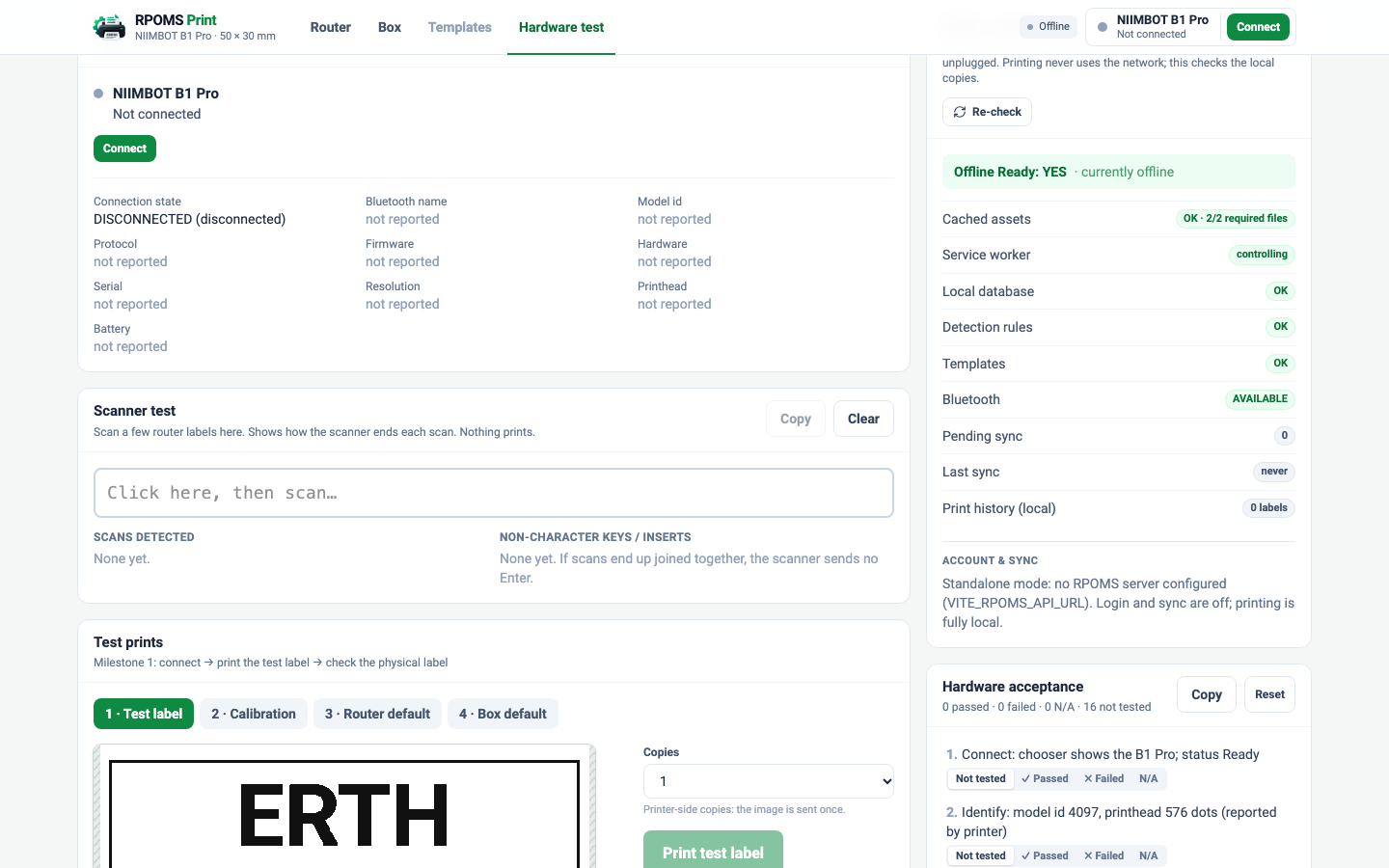
The first online visit installs a service worker that caches the whole build, including the fonts and the logo the templates need. Templates, detection rules, settings, print history and pending changes live in the workstation's IndexedDB. After that, the employee opens the app and works; with the network unplugged, the app boots from cache, detects, renders and prints from local data.
An automated test proves it: headless Chrome loads the built app online, waits for the worker, cuts the network at the protocol level, reloads, and checks that the Router page boots, the template renders from cache and the diagnostics panel reports Offline Ready.
Identity, provisioning and sync
For a fleet of stations, an optional backend on the company's own Ubuntu server provides Google sign-in, RPOMS authorisation, device provisioning and synchronisation. Google is the identity provider; RPOMS decides who may print. A new user starts pending unless allow-listed, an administrator activates them, and the first active login silently provisions the workstation with a device identity and a revocable, hashed token. The local session then keeps the station usable offline for thirty days after its last online check.
Sync is local-first and runs on its own timer, never on the print path: local writes happen first, the engine pushes print history and edits, then pulls configuration when the server has a newer version. The conflict policy is written down: templates last-writer-wins by timestamp with the losing local edit kept beside the winner, rules server-wins with a local backup, settings never synced. Without a backend URL the app runs standalone, which is how the hardware work is done.
The backend is implemented and tested against a fake identity provider and an in-memory store. It has not yet been run against real Google credentials or a live PostgreSQL, and no production deployment exists; the deployment path is documented, not verified.
Things that went wrong, and what they taught
The printer fed the paper out and pulled it back between labels. The cause was one printer job per label; the fix was multi-page jobs with look-ahead, and continuous printing became the default. Matching the device's own session model mattered more than any timing tweak.
A scanner did not send Enter, so six serials arrived as one value and were rejected. A scanner-test panel that records raw key events showed what the device actually sent, and the scan service now ends a scan on any of the suffixes scanners use.
The offline build cached nothing, silently. The worker was active, the cache was empty, and the reload showed Chrome's error page. Attaching to the service worker over the DevTools protocol exposed a Workbox error about a duplicate precache entry for the logo, listed once by a glob and once explicitly. Verify what the worker cached, not whether it registered.
A performance gate flagged regressions on metrics of a few milliseconds for identical code. Single runs of that size are timer jitter; the gate now compares medians of three runs and ignores anything under a ten-millisecond floor.
Testing and verification
170 automated tests run without a printer: a simulated B1 Pro speaks the documented protocol, so framing, identification, the print sequence, error codes, disconnect recovery, the queue, both workflows, storage, offline readiness, auth, sync and the backend are all exercised in Node. The template freeze test and the no-network guard run with them, and a GitHub Actions workflow fails if the freeze baseline changes.
Two headless-Chrome scripts check what unit tests cannot: the offline boot, and the editor's behaviour at desktop, tablet and phone widths. A benchmark tool runs the pipeline at the pre-build baseline and at the current tree and fails on regressions.
On the real printer, the B1 Pro connected, identified itself as model 4097 with a 576-dot head, and printed a router label with every acknowledgement in a session on 24 September 2026. The multi-label, scanner and offline runs on hardware are the next validation step, and the app records the timings for them itself.
What's live, and what isn't
“It exists in the repository” and “it runs in production” are different claims. This is the difference, stated rather than left to be assumed.
- ImplementedScan-to-print, detection, queue, templates, editorComplete and covered by the automated suite. Verified on the real printer once: connection, identification and one router label with every acknowledgement.
- Built, not liveContinuous printing on the physical printerImplemented and tested against the simulated printer. The 10, 25, 50 and 100-label runs and the scanner-order runs on the B1 Pro are the next validation step; the Hardware test page records their timings.
- Built, not liveOffline boot and printingBoot from cache and IndexedDB is proven by the automated headless test. The same run with the printer connected has not been recorded yet.
- Built, not liveGoogle sign-in, provisioning and syncImplemented and tested in software with a fake identity provider and an in-memory store. Not yet validated against real Google credentials or a live PostgreSQL.
- Not connectedProduction deployment on the ERTH serverThe nginx, systemd and PostgreSQL deployment is documented; nothing is deployed. The workstation runs standalone today.
- Not connectedIntegration into RPOMSThe data-provider interfaces exist; RPOMS does not yet supply router or box data to the engine.
Technical stack
Workstation app
Print engine (framework-free core)
Offline & storage
Backend (optional)
Verification
Limitations
- Web Bluetooth means Chrome or Edge on desktop or Android; no Firefox and no iPhone.
- The print engine has printed one real label so far; throughput on the physical printer is measured by the app but not yet recorded for a full run.
- A device token in the workstation's IndexedDB can be read by anyone with local access to that PC; the mitigation is OS login and server-side revocation.
- The admin pages are not role-gated in the app itself; only published changes are gated on the server.
- Rate limiting on the sign-in routes and an administrator audit log are documented as open items.
- The repository is private. Access can be granted on request.
Source and further reading
Finished the technical breakdown?
Return to the concise HR overview or discover other projects in the portfolio.