SpenDrop
SpenDrop: on-device expense capture from Malaysian payment screenshots
An iOS expense tracker that turns a shared payment screenshot into a checked expense, entirely on the phone.
A native iOS expense tracker for Malaysian daily spending. Share a payment confirmation from Touch 'n Go, a bank app or Apple Pay, or pick a receipt photo, and SpenDrop reads the amount, merchant, provider, category, date and reference on the phone with Apple's Vision framework and a rule-based parser, then asks you to confirm. A Share Extension and the app share one on-device store; there is no server, no network code and no third-party package. Personal project, run on the simulator and the developer's iPhone; not on the App Store.
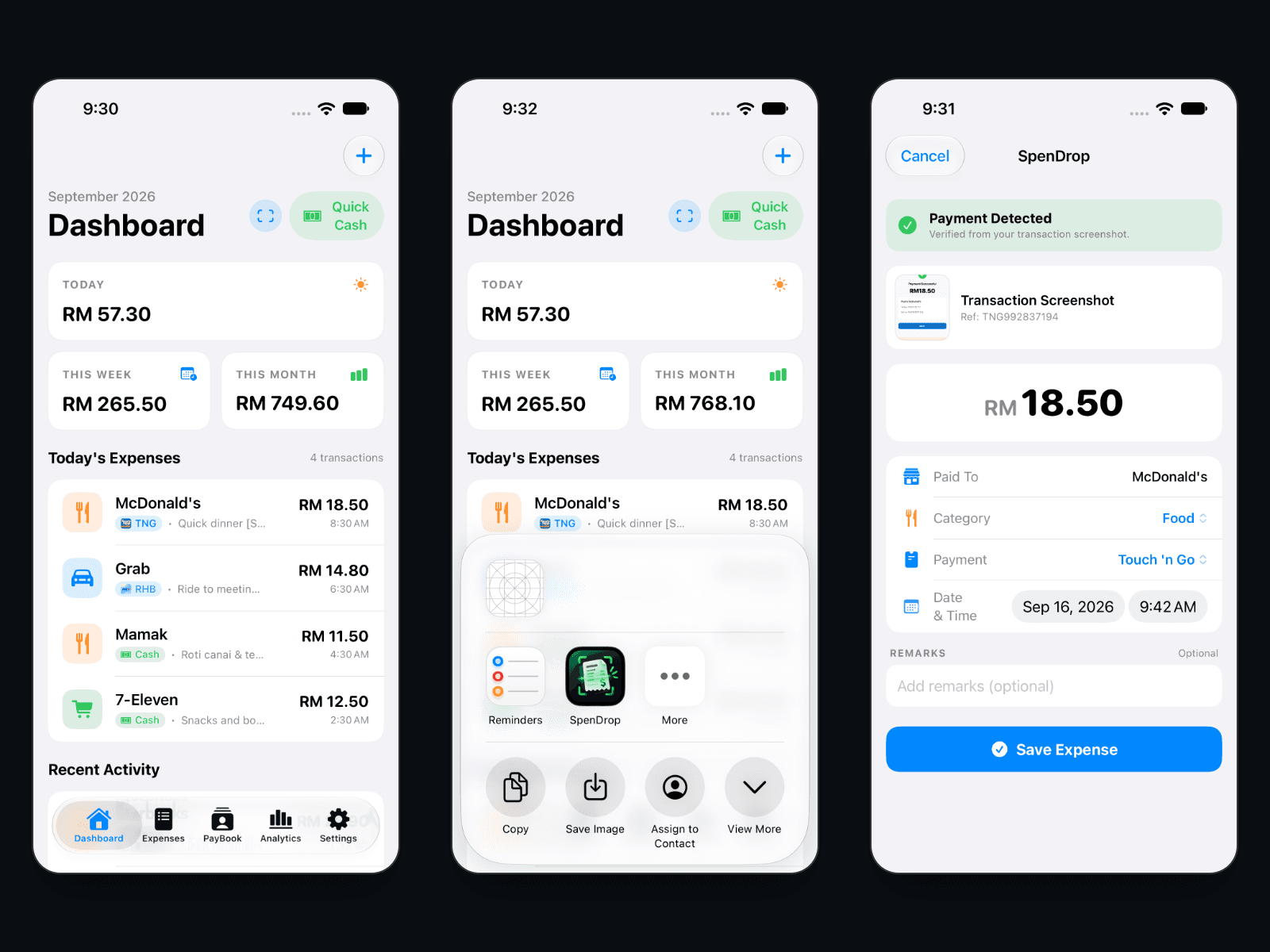
Product, iOS App & Share Extension, OCR Parser, Data Model, Tests
Key Highlights & Practical Impact
Executive Scan- Share Extension: any payment screenshot goes from the iOS share sheet to a filled-in review form
- On-device OCR with Apple Vision and a Malaysian transaction parser covering 16 payment providers
- Every RM value is classified (total, fee, balance, cashback, advertisement) so an advert's price is never chosen as the payment
- Duplicate protection by transaction reference, or same merchant and amount on the same day
- App and extension share one SwiftData store through an App Group
- No server, no network calls and no third-party packages: Apple frameworks only
Ready to explore the build?
A detailed look at the end-to-end architecture, process workflows, key engineering decisions, live production capabilities, challenges, and results.